NASA UX Audit
Roles During Project - UI/UX Designer
Tools Used - Figma, Microsoft Power Point
Purpose
The purpose of this project was to evaluate the UI elements of the ADAPT web platform based off of an existing design system. Based off of this evaluation, I had to come up with ways to improve the design system on this current platform.
Processes Used
Step 1 - I took screenshots of all the UI elements that existed in the ADAPT web platform (that included buttons, text, tabs, etc.). I placed all of those screenshots into a Figma file titled the UI Inventory.
Step 2 - In the Figma file, I compared and contrasted all of the UI elements and documented my findings into a Power Point deck. I used Jakob Nielsen's heuristic evaluation method to highlight how these design inconsistencies can affect usability.
Step 3 - Whatever findings I noticed, I placed them into a Power Point deck to present to the team.
Results
Design Inconsistencies - Overall, there were a multitude of design inconsistencies that permeated the ADAPT web platform. There are showcased below.
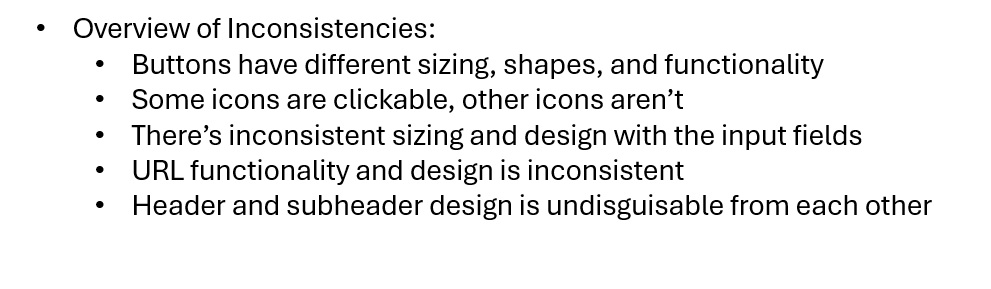
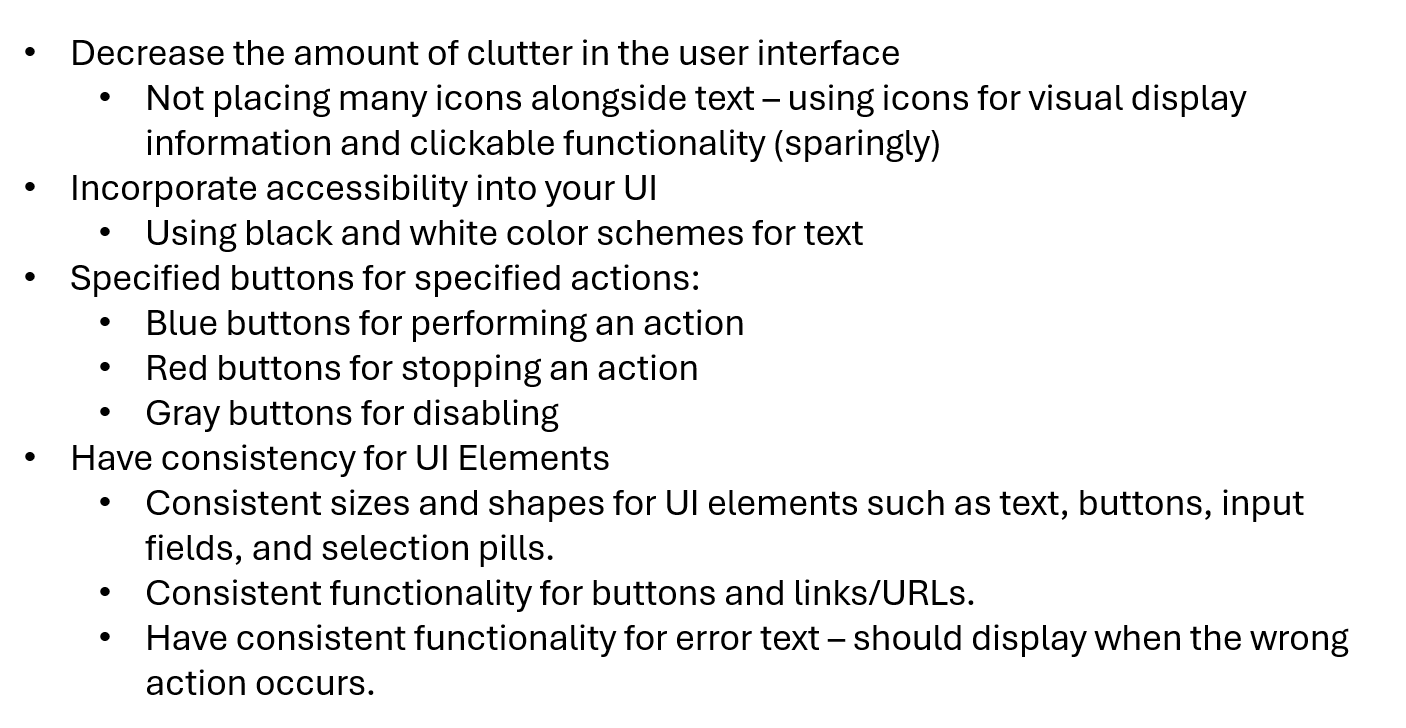
Design Recommendations - Based off of these inconsistencies, I came up with a series of design recommendations. They are listed below.
Feedback from the Team - When I presented these findings to the team, they came to an
agreement that these were important findings. My team lead as well as the stakeholders okay'd the redesign of the ADAPT Design System.
Here's the link to my presentation. It contains the design inconsistencies as well as solutions to improve usability.